We Analyzed 70+ Mailscale Reviews To Give You an Unbiased View

If you’re running cold outreach at scale, you’ve probably heard of Mailscale.
It promises easy inbox creation, automated warm-up, and better email deliverability. But does it actually deliver?
This article is a mailscale review—a comprehensive evaluation based on user feedback and comparison with other email infrastructure tools and ESPs. We’ll also explain how Mailscale works, including its setup process, integration with domains and email accounts, and how it compares to other providers in terms of efficiency, cost, and deliverability.
We went through 70+ reviews from real users, across G2, Reddit, and communities, to break it all down for you.
In this blog, you’ll find:
- What users love about Mailscale
- The most common complaints (and what to watch out for)
- Real-world use cases and who it’s best for
- A clear verdict: should you use it?
Let’s cut through the hype and get to the truth.
What Is Mailscale & How It Works for Cold Email Outreach (With Core Features Explained)
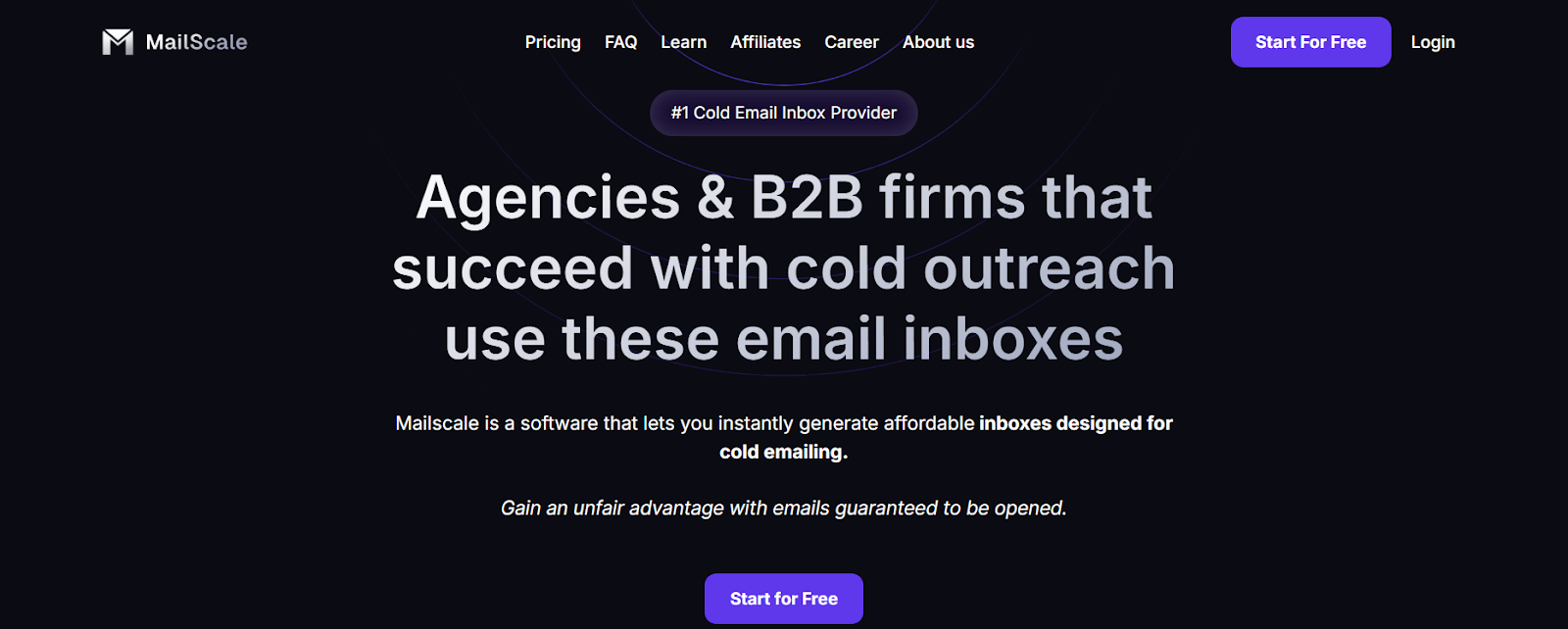
Mailscale is an email infrastructure tool that helps teams send emails at scale while keeping deliverability high and staying out of spam.
Its key features include smart routing, deliverability controls, and monitoring, which set it apart from basic email providers.
Mailscale offers a fast setup, allowing onboarding to be completed in less than 24 hours. Instead of handling everything through a single IP or shared server (like many basic tools or traditional methods), Mailscale gives you more control.
You can warm up domains, use IP rotation to rotate sending IPs, and track your domain health, all from one place. Advanced features like detailed analytics, automation, and campaign optimization are also available to help optimize your outreach.
When setting up, it’s important to pay attention to technical details such as DNS records, DKIM, DMARC, and SPF to ensure successful delivery and avoid spam filters.
Mailscale automates the process to configure DNS, reducing the need for manual setup and making it easier to get started.
It’s mainly used by people who send a large number of emails, like:
- Cold emailers
- SaaS teams sending onboarding or product emails
- Growth marketers who manage multiple domains
- Email marketers running email marketing campaigns and high volume outreach
- Teams looking for streamlined and automated connecting domains to improve deliverability and manage multiple domains efficiently
Many teams choose Mailscale over older tools like SendGrid or Mailgun because it gives them more control over their sending setup, especially if they’re technical or working at scale.
Compared to Google Workspace, which lacks specialized outreach features, warmup procedures, and email verification, Mailscale offers more comprehensive solutions for cold outreach and marketing campaigns.
⚙️ What You Get with Mailscale
Here’s a table summarizing Mailscale’s main features:
Overall, Mailscale is built for teams who need strong control over how emails are sent. The platform supports automated setup for domains and inboxes, so you don’t have to spend time manually creating each account. It also scales to more email accounts, making it ideal for larger teams or campaigns.
If you’re looking for better deliverability and you’re comfortable setting up domains and APIs, it can be a solid choice.
How to Set Up and Managing Email Accounts in Mailscale
Managing multiple email accounts for cold email outreach can be a technical headache—unless you’re using a tool like Mailscale.
Unlike traditional platforms that require a time-consuming manual setup for each inbox—including connecting domains, warming up inboxes, and handling DNS records—Mailscale automates these steps, saving you significant time and effort.
One of the platform’s biggest strengths is how it streamlines the entire process of setting up, warming up, and managing email inboxes across multiple domains, making large scale outreach not just possible, but practical for teams of any size.
- Automated Technical Setup (No More Manual DNS Headaches) - With Mailscale, you don’t have to wrestle with complicated DNS setup or worry about missing a critical SPF, DKIM, or DMARC record. The platform automates the technical setup for every new email account, ensuring your sending domains are properly authenticated from the start. This is crucial for keeping your emails out of the spam folder and maintaining a strong sender reputation—especially if you’re running high volume cold email campaigns.
- Effortless Warm-Up for New Accounts - Launching new inboxes? Mailscale’s automated warm-up feature gradually increases sending volume, mimicking natural email activity. This helps new accounts build trust with email providers and avoids the deliverability issues that come from sudden spikes in sending. For anyone who’s struggled with cold emails landing in spam, this is a game changer.
- Inbox Rotation for Better Deliverability - To further protect your inbox reputation, Mailscale offers smart inbox rotation. This means your cold outreach is distributed across multiple email accounts and domains, reducing the risk of any single inbox being flagged or blacklisted. It’s a proven strategy for maintaining high deliverability, especially when scaling outreach to thousands of prospects per month.
- Priority Support and Troubleshooting - If you hit a snag—whether it’s a technical setup issue or a deliverability question—Mailscale’s support team is known for being responsive and knowledgeable. Priority support is available on higher-tier plans, giving you direct access to experts who can help you resolve issues fast and keep your campaigns running smoothly.
- Flexible, Cost-Effective Plans for Every Team - Whether you’re a solopreneur just starting with cold email outreach or an enterprise managing hundreds of inboxes, Mailscale’s pricing is designed to scale with you. The starter plan is ideal for small businesses, while the business and enterprise plans support growing teams and large operations with up to 200 inboxes (and the ability to add even more as needed). Mailscale also provides affordable inboxes, making it easy for marketers to scale cold outreach campaigns without high costs.
Mailscale Pricing Breakdown
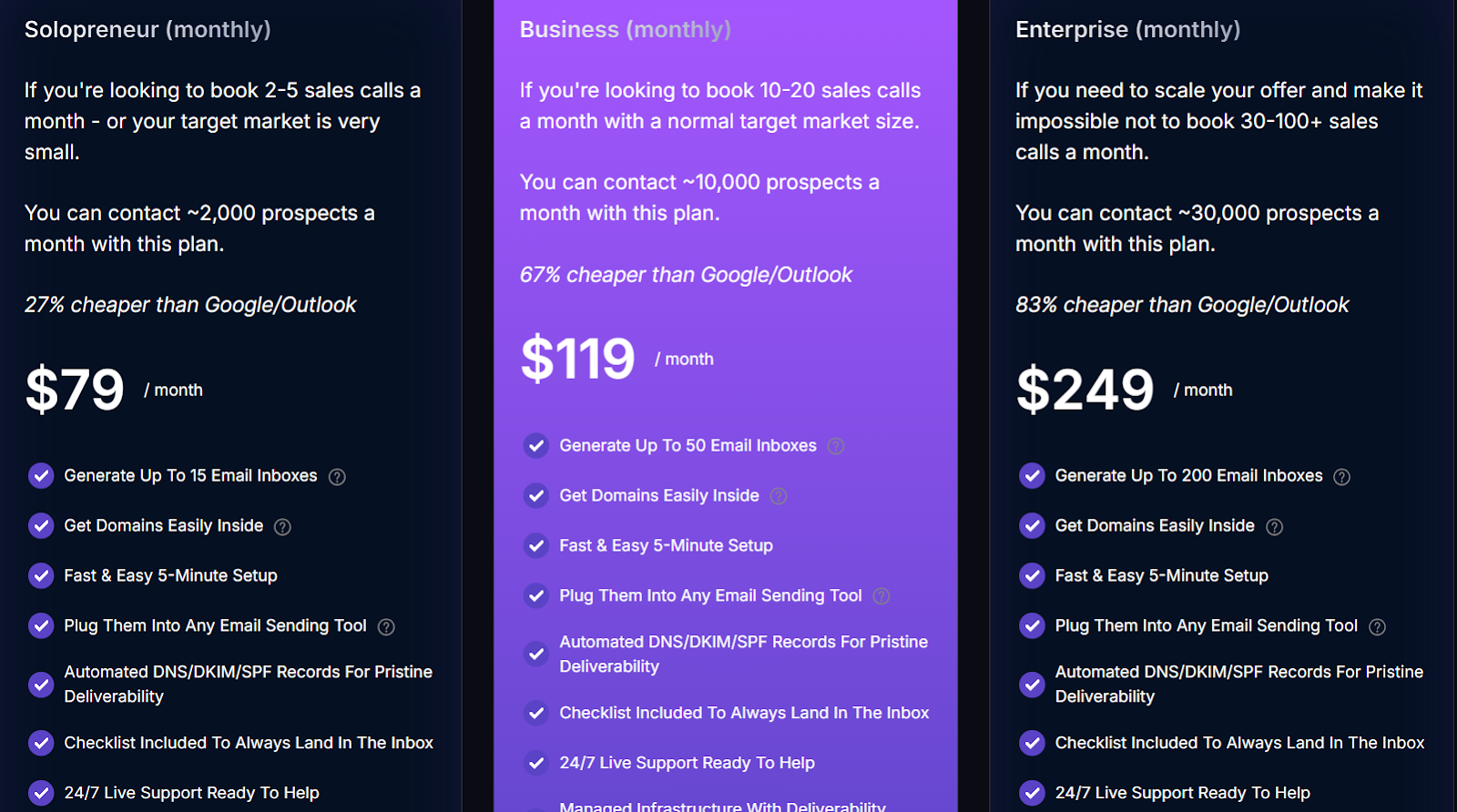
Mailscale offers three main pricing plans based on how many email inboxes and prospects you want to handle:
I. Solopreneur Plan – $79/month
- Includes up to 15 email inboxes
- Suitable for reaching around 2,000 prospects/month
- Good for individual entrepreneurs, solo founders, or small teams doing cold outreach
II. Business Plan – $119/month
- Supports up to 50 inboxes
- Lets you contact up to 10,000 prospects/month
- Designed for growing teams or agencies managing multiple clients
III. Enterprise Plan – $249/month
- Comes with up to 200 inboxes
- Built for teams reaching up to 30,000 prospects/month
- Ideal for large-scale outreach or operations with multiple domains
A Few Extra Costs to Know
- You must buy domains within the Mailscale platform to create inboxes. Each domain costs around $9–$13/year. You can make up to 5 inboxes per domain.
- Buying domains through Mailscale is required for inbox creation, which can be less flexible and sometimes more expensive compared to external providers, as you are limited to their domain management options. Users are required to purchase and manage their own domains directly through the Mailscale platform, which means you cannot use personal or existing domains and must buy new ones via Mailscale.
- Extra inboxes beyond your plan? They cost $1 per inbox per month.
Several users have commented on the value and flexibility of the pricing structure, especially for those starting with the solopreneur plan. Many users are also looking for the best deliverability for their investment, considering the costs of buying domains and inboxes.
All plans come with a 7-day free trial, so you can try before committing.
Is Mailscale Worth the Price?
Mailscale gives you solid infrastructure tools, warm-up, sender rotation, and domain health tracking. Mailscale holds its technical infrastructure proprietary, which can make the service feel more secure and robust, but may impact transparency and customization for tech-savvy users considering a Mailscale review.
But it doesn't include outreach or sequencing, so you'll still need tools like Instantly or Smartlead to run campaigns.
That's why some users prefer Mailforge; it combines both email infrastructure and outreach in one tool, with a simpler setup and better value at similar pricing.
Who Should Use Mailscale for Managing Multiple Email Accounts (And Who Probably Shouldn't)
Mailscale works best for users who are comfortable with the technical setup and need more control over how their emails are sent.
If you're looking for an all-in-one email tool with built-in outreach features, this might not be the best fit.
Here's a clear breakdown:
In short, if you know your way around domains, warm-ups, and deliverability, Mailscale can give you the control you need.
But if you want to avoid setup and just start sending, a simpler, all-in-one tool like Mailforge might save you time and hassle.
✅ Pros and ❌ Cons Of Mailscale: Based on 70+ Real Reviews
After going through reviews across G2, Reddit, and Trustpilot, here’s what people say about using Mailscale, the good and the not-so-good.
✅ Pros of Mailscale
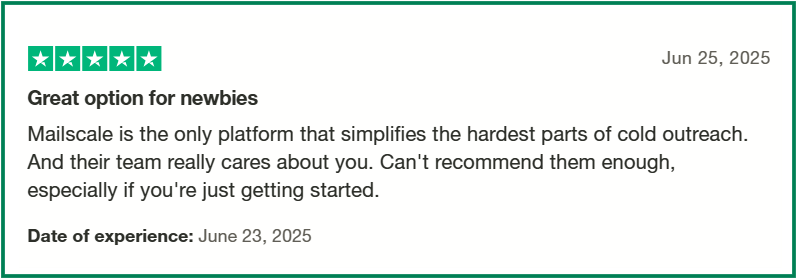
- Quick and Easy Setup: Users appreciate the straightforward process of setting up domains and inboxes, with automated configurations for SPF, DKIM, and DMARC.
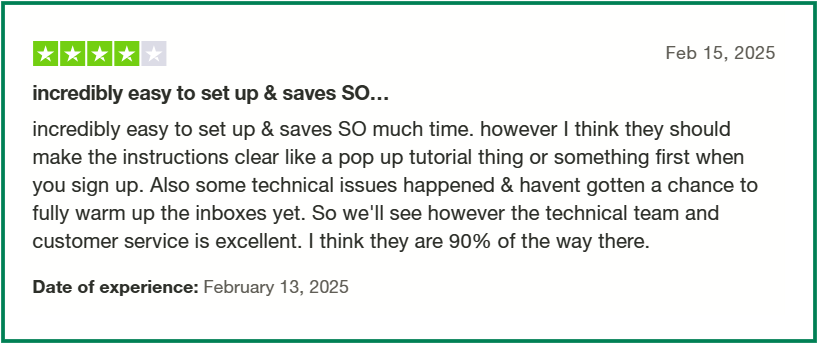
- Cost-Effective for Scaling: Many find Mailscale to be an affordable solution for managing multiple inboxes and domains, especially when compared to traditional providers.
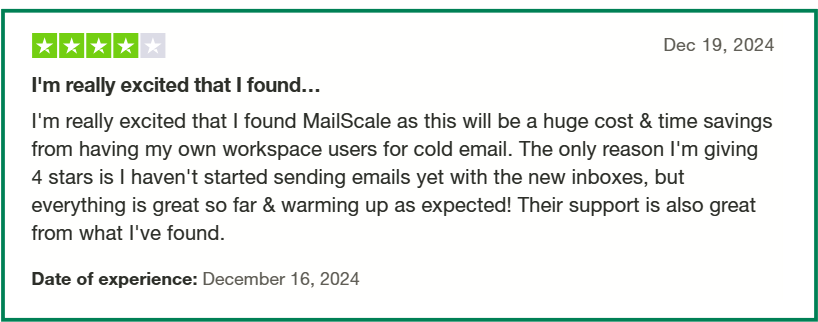
- Responsive Support: The support team is noted for being helpful and responsive, assisting users through setup and troubleshooting processes.
❌ Cons of Mailscale
- Unreliable warm-up experience and poor notifications: One user shared that their inbox warm-up didn’t work for two weeks, with no alerts or warnings from the platform. Even after contacting support, they were asked to recreate emails, which added more delays and frustration.

- UI is harder to use for non-technical users: Compared to simpler tools like Mailforge or Mailgun, users say Mailscale’s dashboard can feel cluttered or too technical, especially if you're not familiar with email infrastructure.
- Some deliverability issues despite setup: One user shared that even with 50 inboxes and 10 domains set up, emails weren’t landing well, and bounce rates were high. This shows that deliverability isn’t always guaranteed, even with proper infrastructure.

- No clear inbox health tracking: Some users mention that Mailscale doesn’t show the ongoing status or health of each email inbox. This makes it harder to know if something is wrong, like if a domain is flagged or emails are underperforming, until it's too late.

In summary, Mailscale is a solid choice for teams seeking a cost-effective and automated solution for email infrastructure.
However, those requiring integrated outreach tools or dedicated IP addresses might need to consider additional platforms or alternatives.
Mailscale vs Mailforge: Quick Comparison
If you're comparing tools for sending cold emails at scale, both Mailscale and Mailforge come up often, but they're built for different types of users.
Here's a quick breakdown of how they compare on the features that matter most:
While Mailscale gives you reliable infrastructure, it's mainly suited for technical users.
Most teams still need to plug in other tools to send, track, and manage campaigns.
That's where many teams face issues:
- Too complex for small or non-technical teams
- No built-in outreach, needs extra tools
- 3-month pricing lock-ins reduce flexibility
Mailforge, on the other hand, is built to simplify the entire workflow.
It gives you everything, sending, warm-up, outreach, and inbox monitoring, all in one place, with less effort and faster results.
If you're looking for power without the patchwork, Mailforge might be the better choice.
Final Verdict: Is Mailscale Worth It in 2025?
If your team is sending cold emails at scale and you're comfortable with setup and technical tasks, Mailscale can give you solid control over your email delivery.
It's reliable for warm-up, sending, and infrastructure, but it stops there.
You'll still need separate tools for outreach, follow-ups, and managing replies.
That means more setup, more cost, and more time spent stitching things together.
Here's where it fits, and where it falls short:
- ✅ Great for teams who want full control over domains, inboxes, and delivery
- ❌ Not ideal for teams looking for an all-in-one email solution
- ❌ Requires extra tools for outreach, which adds to the complexity
- ❌ Setup and workflow can slow you down if you're not technical
If you want similar performance without the extra steps, Mailforge is a strong alternative.
It brings sending, warm-up, outreach, and tracking together, so you can focus on results, not setup.
👉 Try Mailforge, get everything in one place and start faster →